
USB or Ethernet
USB is the simplest and works with every controller. Ethernet is for the SuperLongBoard and SLB-EXT, when the computer is far from the machine or USB keeps dropping.
| Cable | Choose it when | Controllers |
|---|---|---|
| USB | You're starting out, or for most shops: just plug it in | All |
| Ethernet | The computer is far away, or USB disconnects | SuperLongBoard, SLB-EXT |
Set up Ethernet
Check the controller's address
Connect once over USB and check the controller's IP address. The default is
192.168.5.1.Plug in the cable
Connect the cable straight from the computer to the controller, with no router in between.
Set your computer's address
In your network settings, give the Ethernet port the IP
192.168.5.5and the subnet mask255.255.255.0.Connect
In the wizard, choose Ethernet, enter
192.168.5.1and click Connect. The port on the controller shows a solid green light and a blinking yellow one.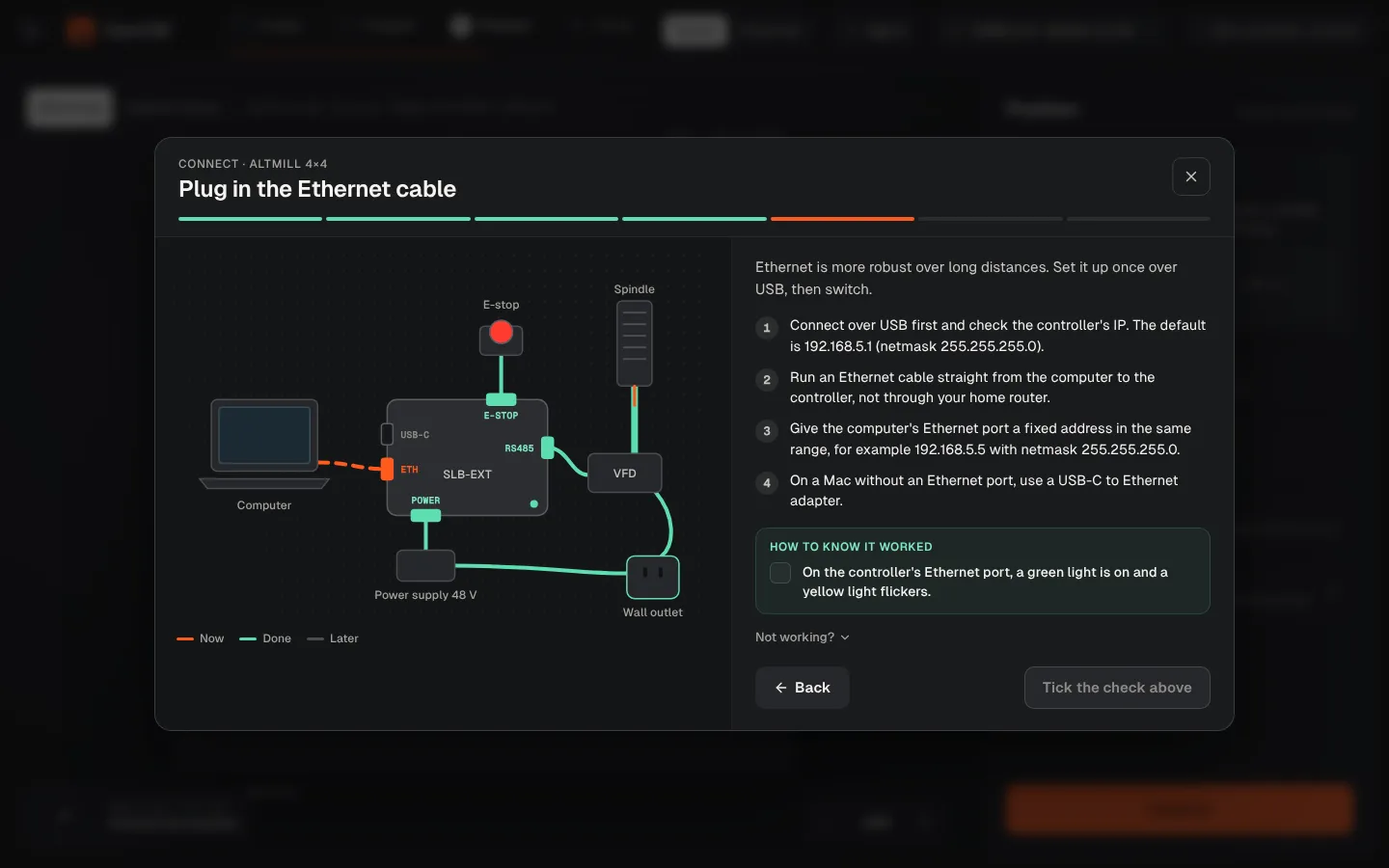
Never use .1 on the computer
The computer's address must be different from the controller's: any 192.168.5.x except .1.
Was this page helpful?Thanks for the feedback.