
Bits and feeds
CarvCAM knows every Sienci Labs bit. Mark the ones you own in My bits and every job uses them with numbers for your machine and router.
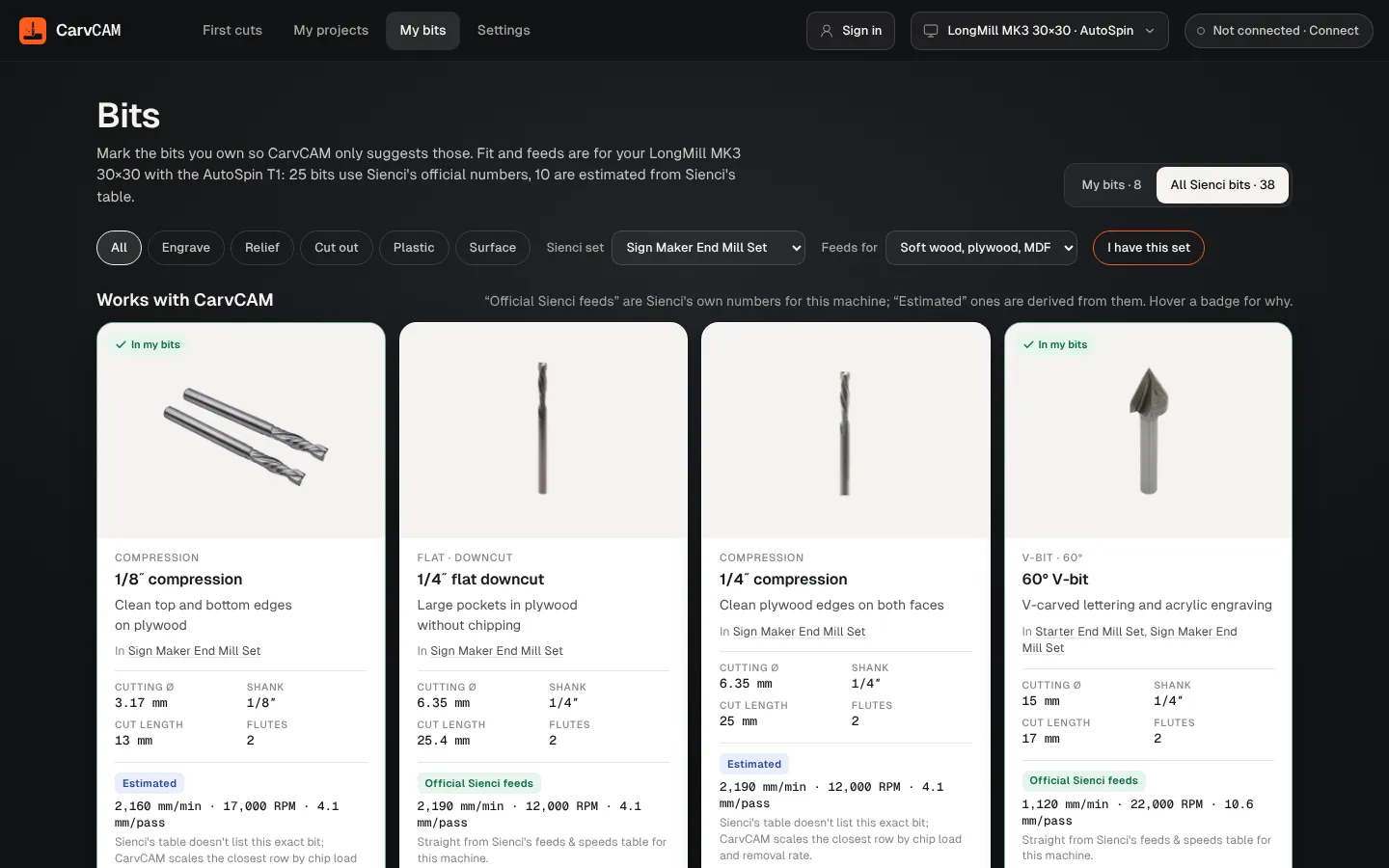
Mark the bits you own
Open My bits
Menu at the top left › My bits. My bits shows yours; All Sienci bits shows the whole catalog.
Add a whole set
Choose your set in Sienci set, then I have this set. Every bit in it is added.
Or bit by bit
Add to my bits on a card. Remove from my bits takes it out; the card stays until you leave, with Add back.
The Sienci sets
| Sold for | Sets |
|---|---|
| LongMill | Starter End Mill Set, Sign Maker End Mill Set, 3D Carver End Mill Set, Machinists End Mill Set |
| AltMill | AltMill Starter Set, AltMill Pro Set, AltMill Sign Maker Set, AltMill Chamfer Set |
The sets sold for your machine are listed first. Filter cards by use (Engrave, Relief, Cut out, Plastic, Surface) and pick the material in Feeds for: soft wood, plywood and MDF; hardwood; plastics; or aluminum 6061.
What a bit card tells you
- Type, cutting diameter, cut length and shank
- Whether it fits your router or spindle, or needs the 1/8″ collet
- Which Sienci sets it comes in
- Feed, RPM (with the Makita dial) and depth per pass for your machine, router and the material you picked
- A link to the bit at Sienci Labs
Official or estimated feeds
| Badge | Means |
|---|---|
| Official Sienci feeds | Sienci's own numbers from its Feeds & Speeds table, unchanged, for a LongMill with a router or spindle that reaches the RPM |
| Estimated | Worked out from that same table: the AltMill uses the LongMill table, as Sienci advises; bits the table doesn't list start from the closest bit and keep the same chip load per diameter; the RPM is held to what your router can do and the feed drops to match; nothing goes above your machine's max speed |
| Not recommended | A combination Sienci leaves out of its table, such as surfacing plastic. CarvCAM tells you why |
Hover a badge in the app to see the reason for that bit. Fast, Balanced and Detailed in Prepare use the Maximum, Regular and Reduced columns of the table.
Bits for 3D carving, roughing, bowls and big surfacing are listed with their feeds, but CarvCAM doesn't plan toolpaths for them yet.
Feeds are a starting point. Always test a new bit or material on scrap first.