
Set up a LongMill MK3
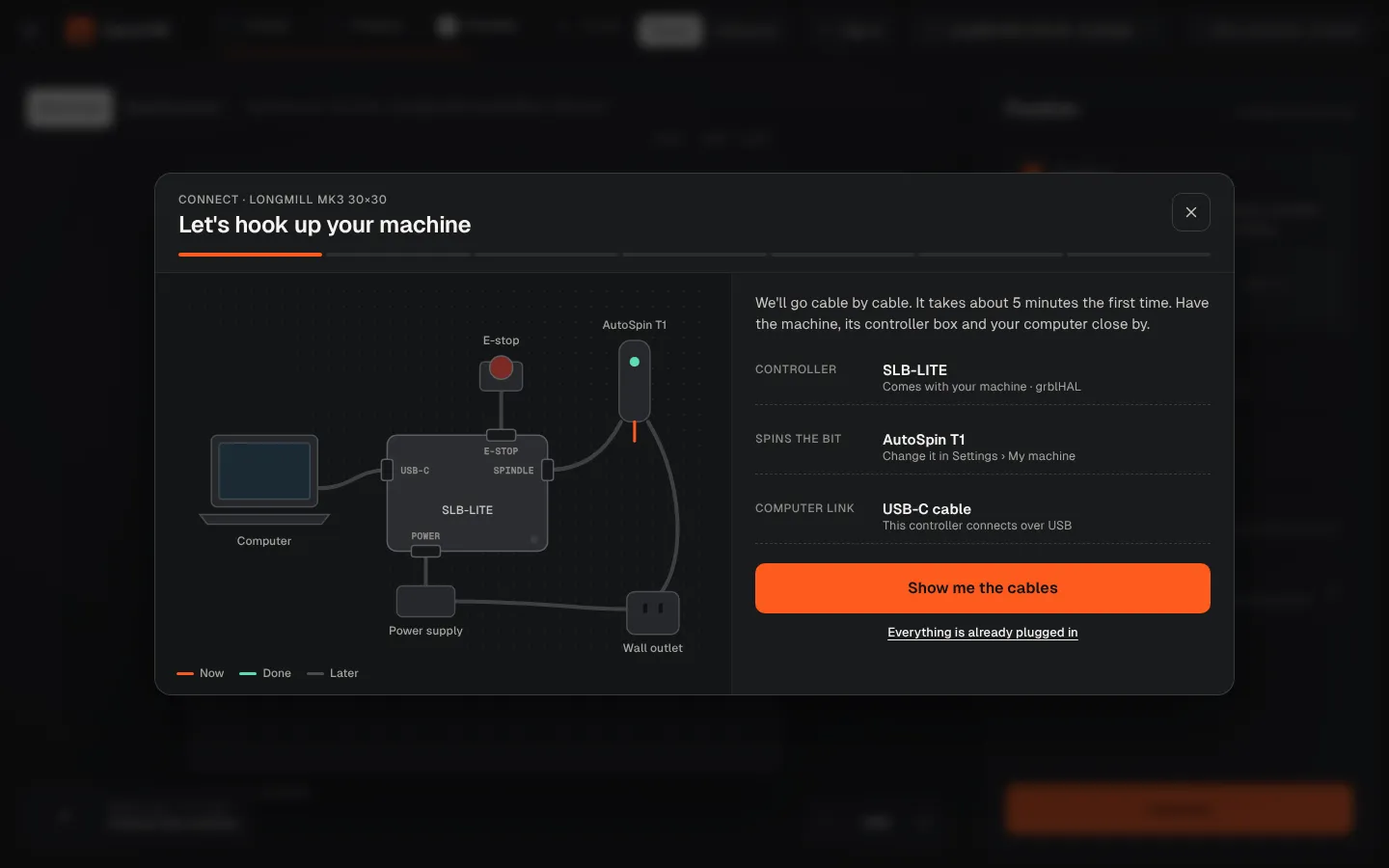
The LongMill MK3 comes with the SLB-LITE controller and the AutoSpin T1. Connect it in this order.
| LongMill MK3 | |
|---|---|
| Work area | 32 × 32 in or 49 × 32 in |
| Controller | SLB-LITE (grblHAL) |
| Connection | USB-C |
| Spins the bit | AutoSpin T1 router (Makita and spindle kits also supported) |
Wire it in this order
Power
Power supply into the SLB-LITE, switch on, release the E-stop.
AutoSpin T1
AutoSpin T1: signal cable into the SPINDLE port (the phone-style jack), router in Spindle mode.
USB-C to the computer
USB-C from the controller straight into your computer.
Connect and test
Connect in CarvCAM: it reads the controller, unlocks it and runs a 2 mm Z test and a 3 second spindle test.
Ready on day one
- Work area and Z travel of the 30×30 and 48×30
- AutoSpin T1 speed range (10,000–30,000 RPM), set by the program
- Feeds and speeds for Sienci bits on your MK3
Connect wizardEvery step of the wizard, explained.USB or EthernetWhich cable to use.LongMill MK3 overviewSpecs, presets and guides.
Was this page helpful?Thanks for the feedback.