
Guide · 5 steps · about 10 min
How to Connect a LongMill or AltMill to Your Computer
Where each cable goes on the LongBoard, SuperLongBoard, SLB-EXT and SLB-LITE, and how to prove the connection works before your first carve.
You'll need: Your controller and power supply · USB cable that carries data (or Ethernet) · Router or spindle
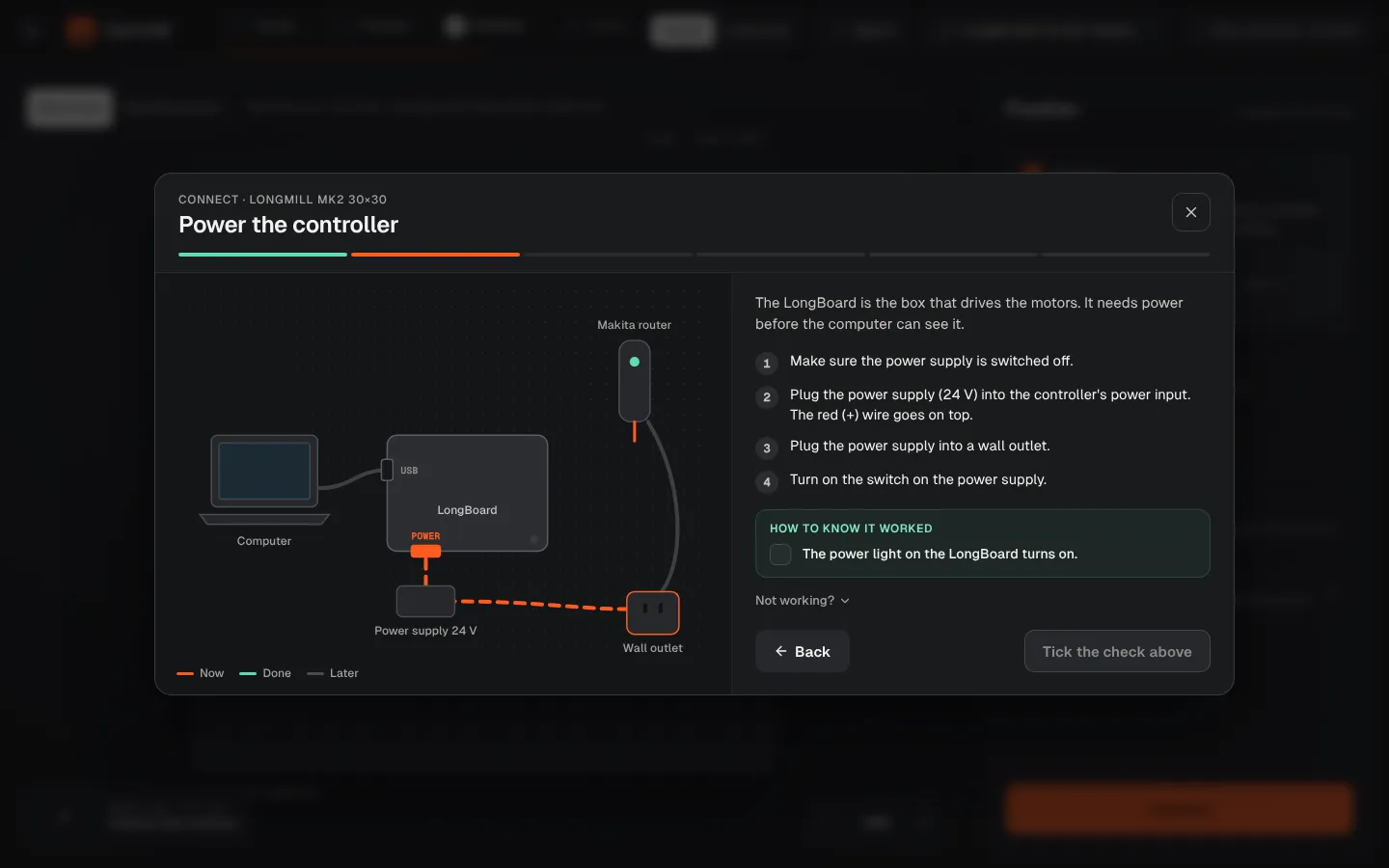
Power the controller
Switch off, plug the power supply in (red on top), plug into the wall, switch on.
Release the E-stop
Press the red button and twist it clockwise until it pops up and lights.
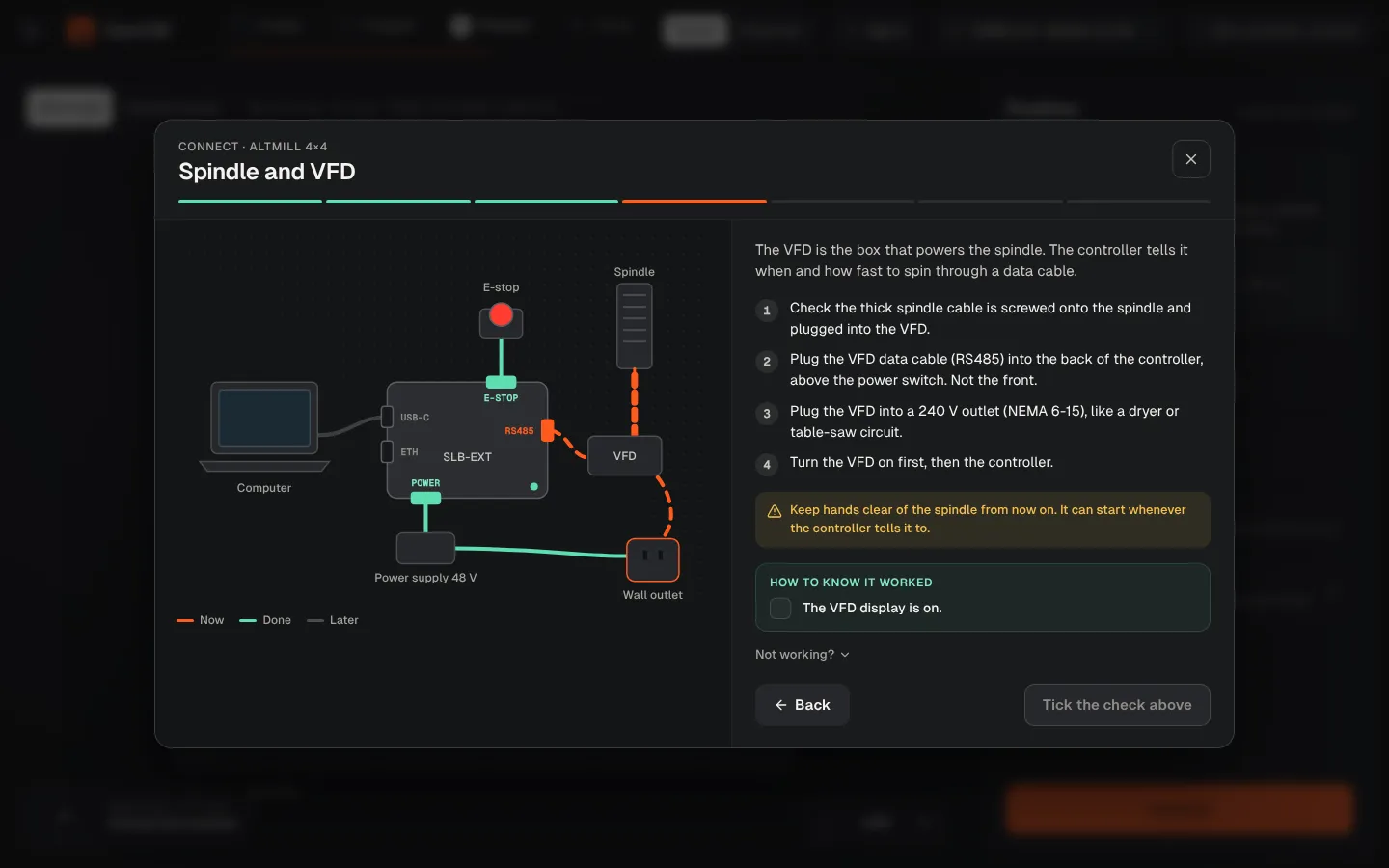
Connect the router or spindle
AutoSpin: signal cable into the SPINDLE port. Spindle kit: VFD data cable into the back of the controller. Makita: wall outlet only.
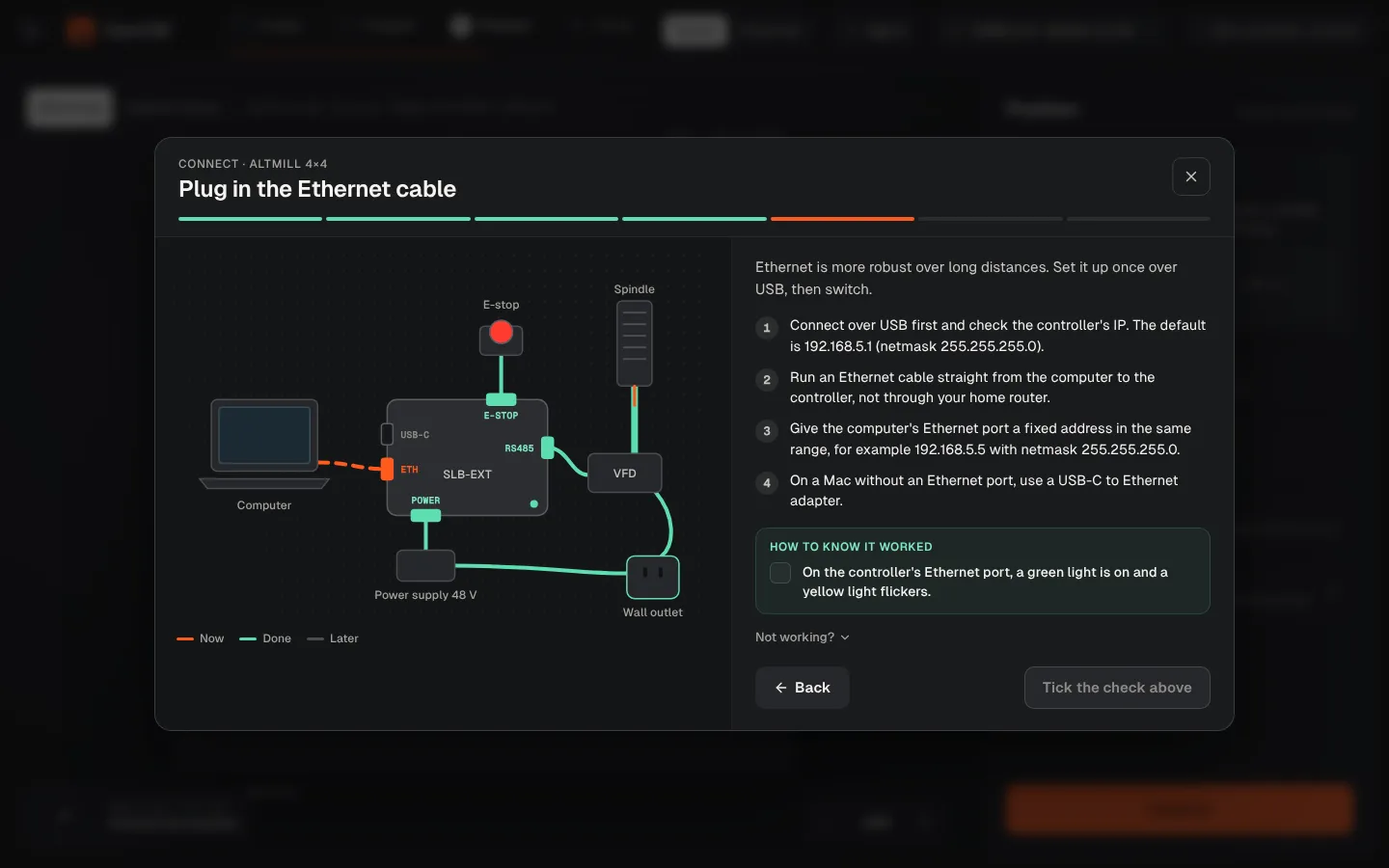
Plug in USB or Ethernet
Use the cable that came with the machine, straight into the computer. Ethernet: controller at 192.168.5.1.
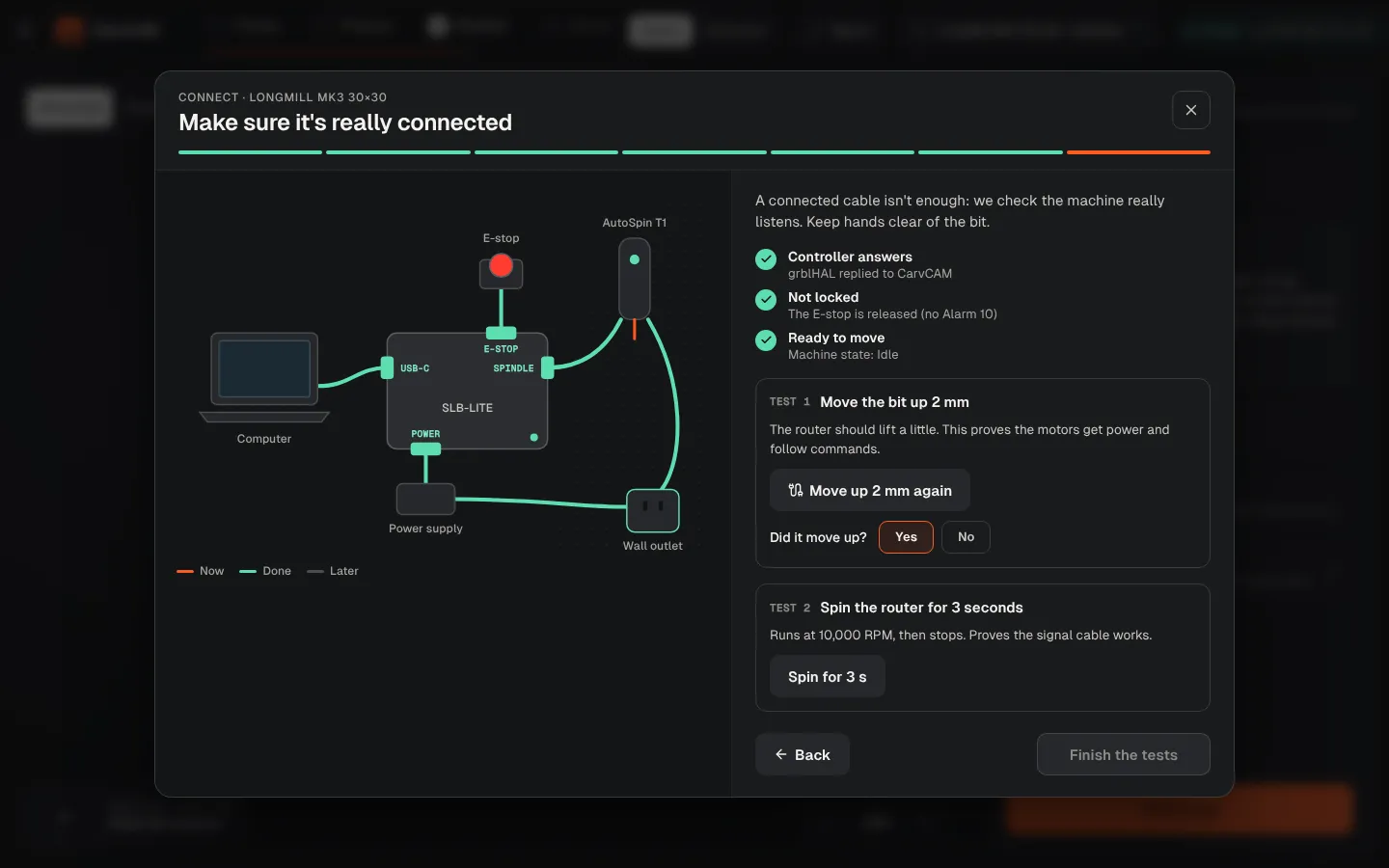
Connect and test
Pick the controller in the list, press Connect, unlock, then run the 2 mm Z test and the spindle test.
From blank board to finished sign.
One app for your LongMill or AltMill.
Download for Windows
Use online
Windows 10 and 11 · Mac · Linux · Raspberry Pi · Works offline · All downloads · See how it works