
Guide · 4 steps · about 5 min
How to Set Work Zero with a Touch Plate
Set X, Y and Z zero on a LongMill or AltMill with the touch plate: where the zero goes, how the probe works, and how to check it before carving.
You'll need: Touch plate with magnet clip · Your bit installed
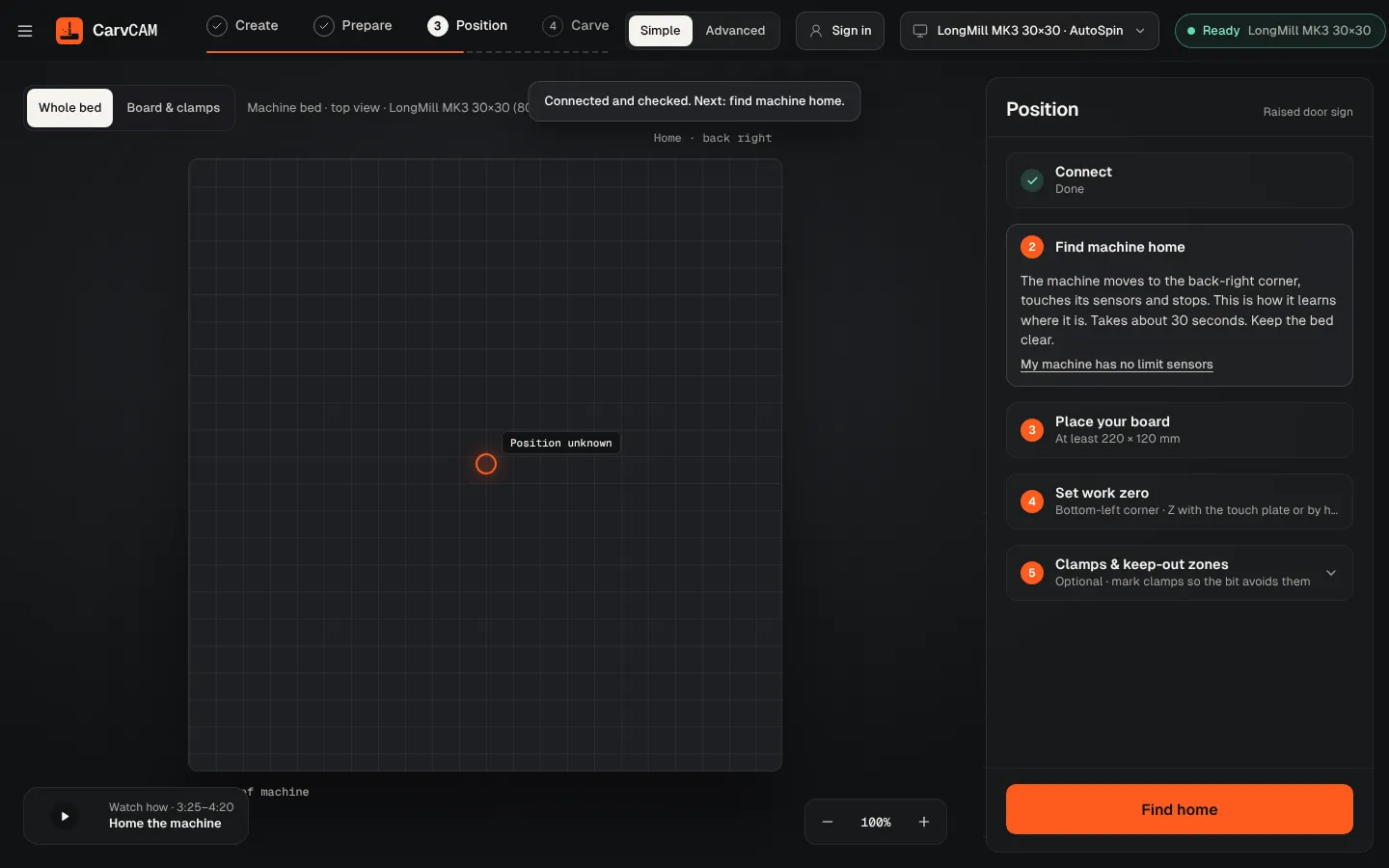
Find home first
Home the machine so every move afterwards is safe and inside the bed.
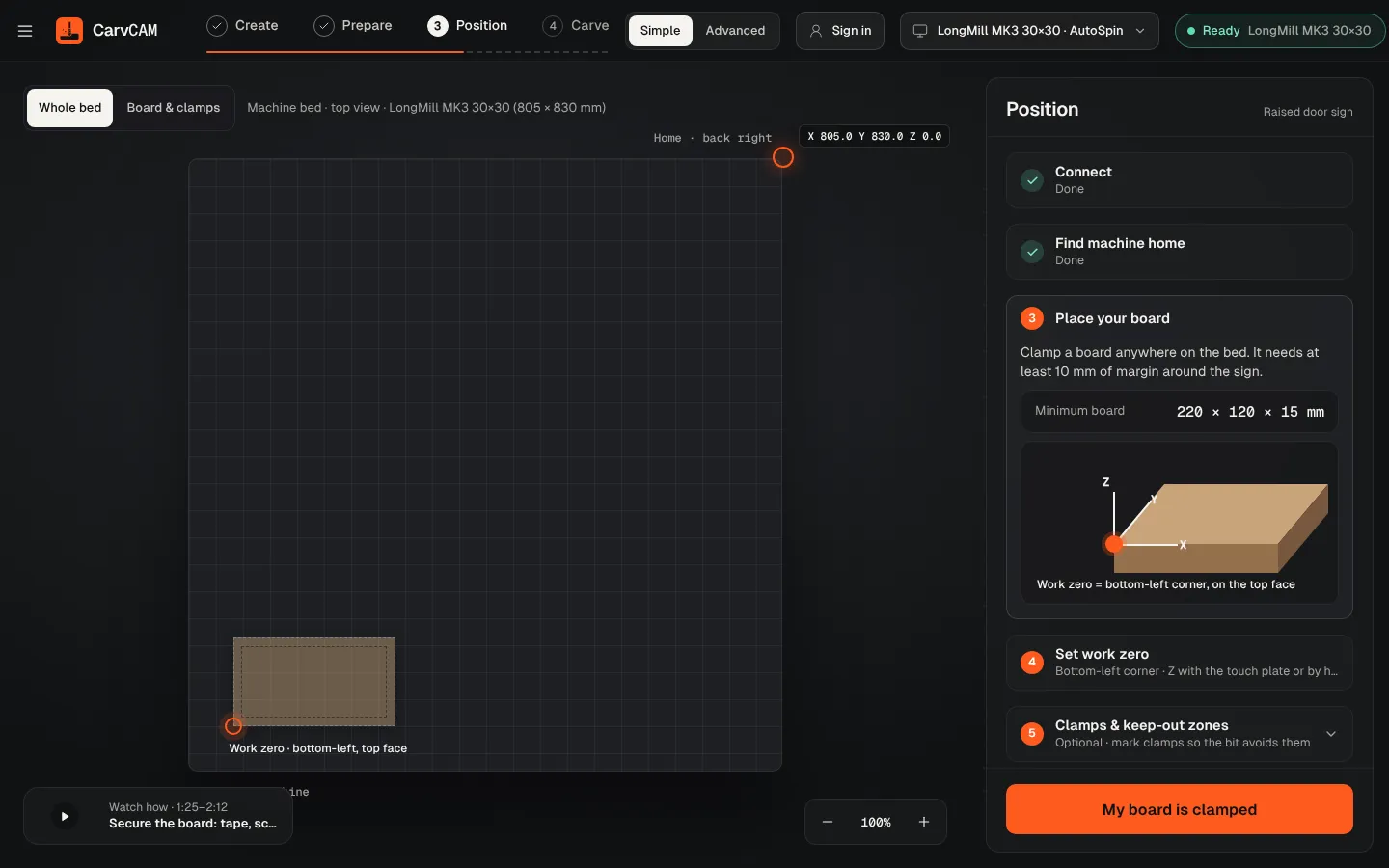
Clamp the board
CarvCAM shows the minimum board size on the bed. Clamp anywhere it fits.
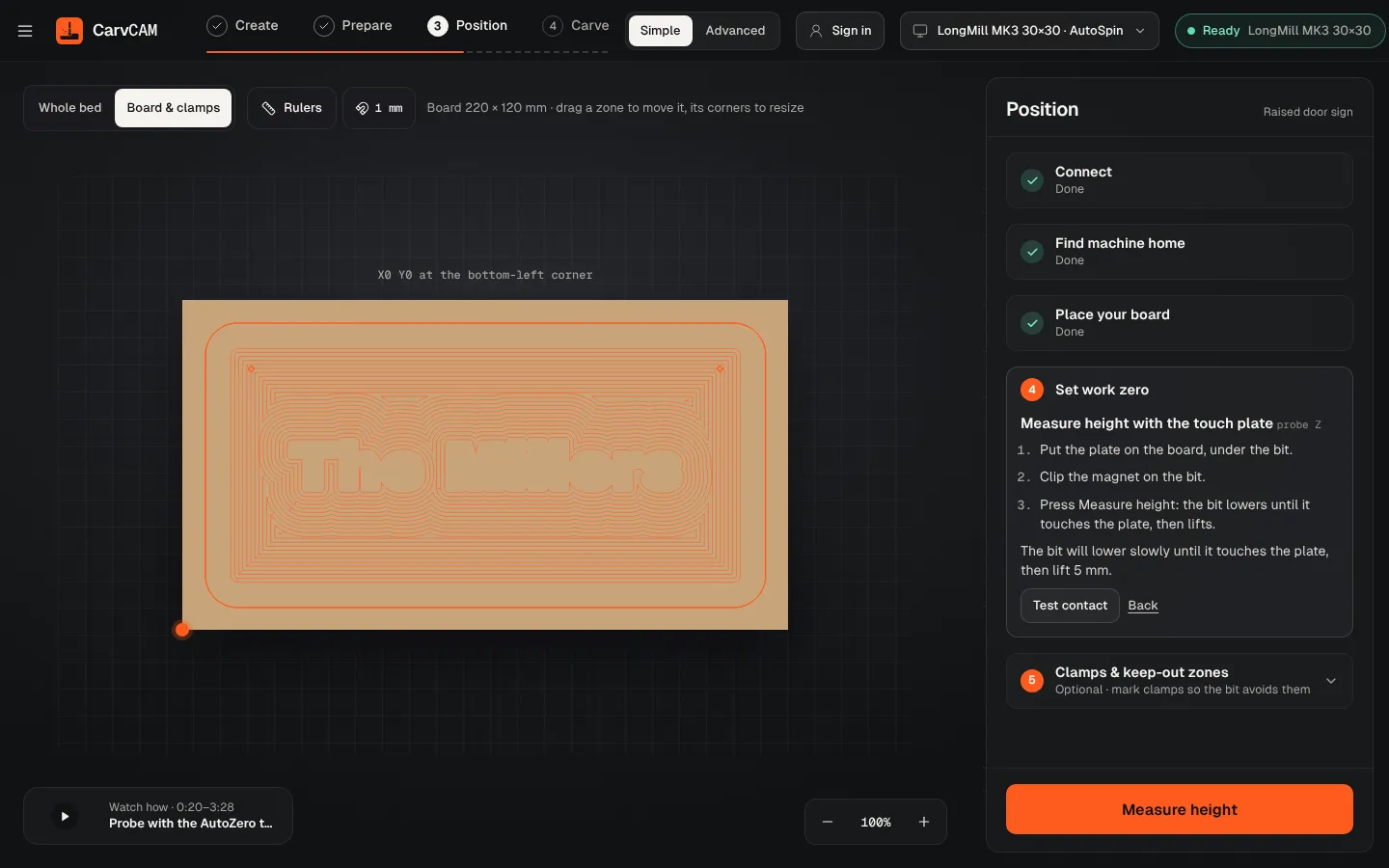
Measure the bit
Clip the magnet to the bit, put the plate under it and click Measure height. The bit touches, records the height and lifts 5 mm.
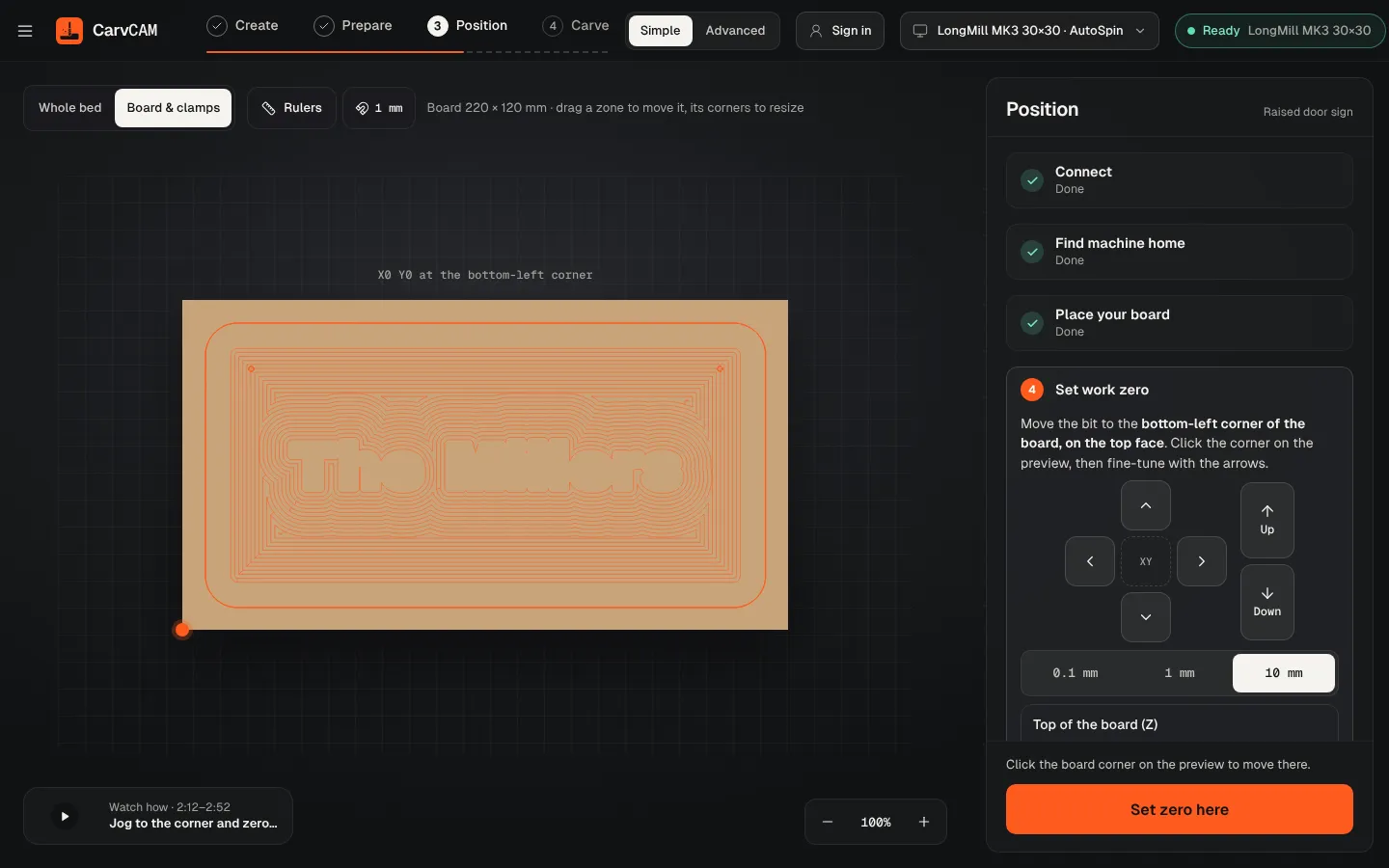
Set X and Y
Click the board corner on screen to move there, fine-tune with the arrow keys, then Set zero here.
From blank board to finished sign.
One app for your LongMill or AltMill.
Download for Windows
Use online
Windows 10 and 11 · Mac · Linux · Raspberry Pi · Works offline · All downloads · See how it works