
Set up an AltMill
The AltMill runs on the SLB-EXT with a 2.2 kW or 1.5 kW ER20 spindle and its VFD. Connect it in this order.
| AltMill | |
|---|---|
| Work area | 49 × 25 in, 49 × 49 in or 49.8 × 10⁴ in |
| Controller | SLB-EXT (grblHAL) |
| Connection | USB-C or Ethernet |
| Spins the bit | 2.2 kW or 1.5 kW ER20 spindle with VFD |
Wire it in this order
Power
48 V power supply into the SLB-EXT, switch on, release the E-stop.
Spindle and VFD
Spindle cable into the VFD; VFD data cable into the back of the controller, above the power switch.
Power order
VFD on first (2.2 kW needs a 240 V outlet), then the controller.
Connect and test
USB-C or Ethernet to your computer, then Connect: CarvCAM proves the Z moves and the spindle spins.
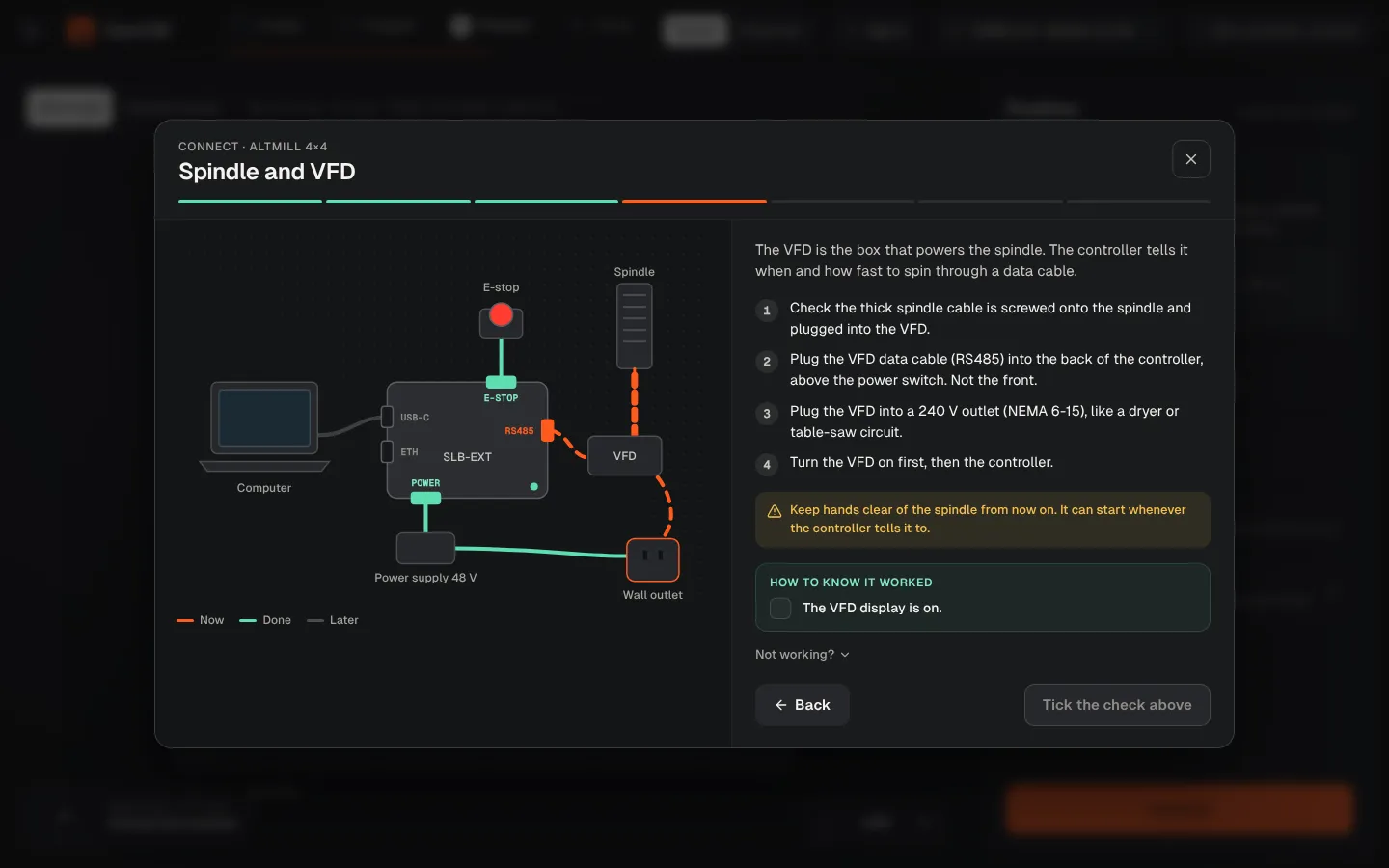
Power order
Switch the VFD on before the controller. The 2.2 kW spindle needs a 240 V outlet.
Ready on day one
- 2×4, 4×4 and 4×8 work areas
- ER20 spindle speed range (7,500–24,000 RPM) through the VFD
- Feeds and speeds for Sienci bits on the AltMill
Connect wizardEvery step of the wizard, explained.USB or EthernetWhich cable to use.AltMill overviewSpecs, presets and guides.
Was this page helpful?Thanks for the feedback.