
Settings
Open the menu at the top left and choose Settings. Everything about your machine and how CarvCAM talks to the world is on one page.
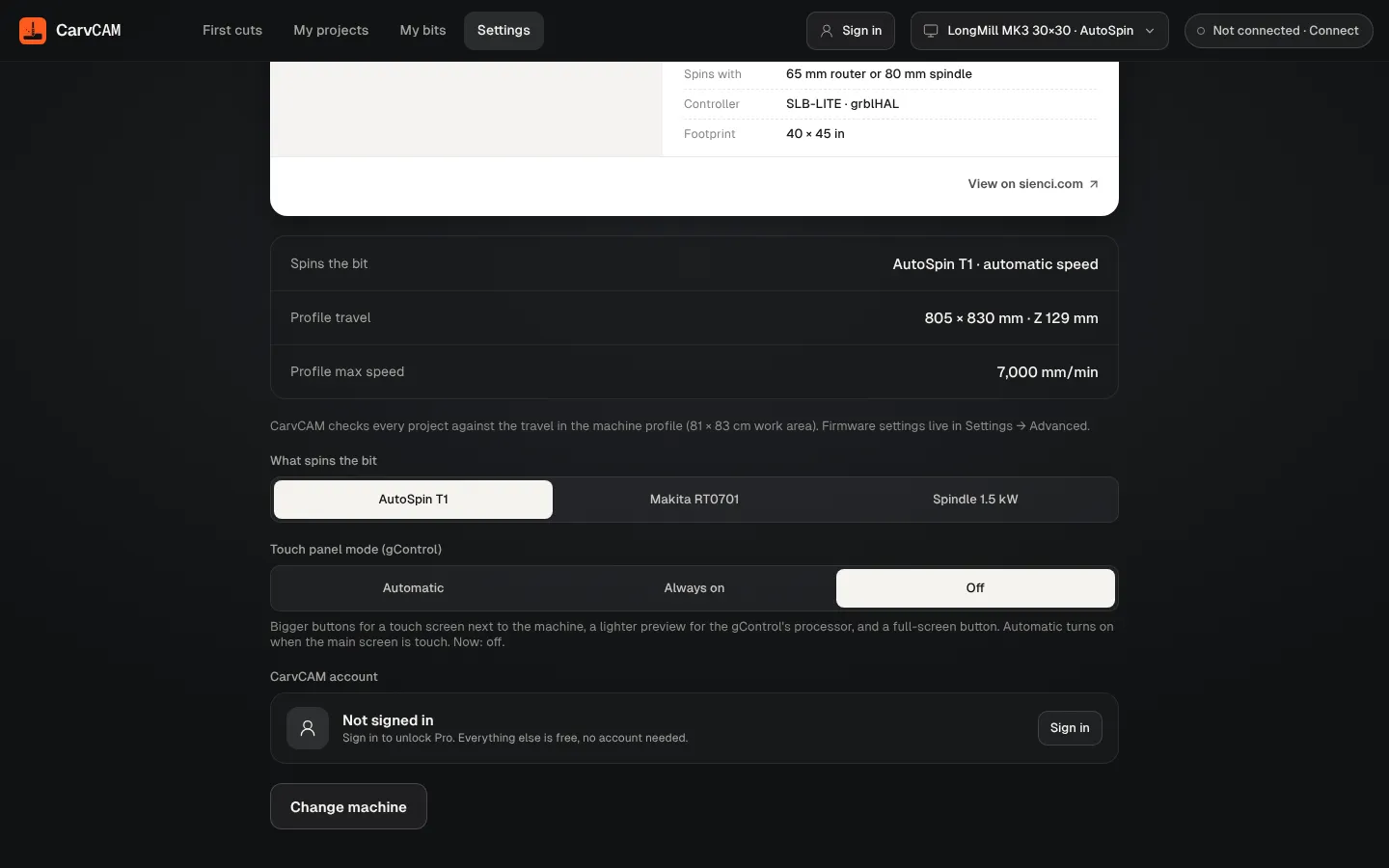
| Setting | What it does |
|---|---|
| My machine | Your machine card, its travel and max speed. CarvCAM checks every project against this travel |
| What spins the bit | Switch between the router or spindle your machine supports. Feeds and the Makita dial follow |
| Touch panel mode (gControl) | Automatic, Always on or Off. See below |
| CarvCAM account | Sign in or out, and see your plan. See Account and Pro |
| Change machine | Add another machine, or change this one. Remove this machine appears when you have more than one |
Touch panel mode
For a touch screen next to the machine, like Sienci's gControl: bigger buttons, a lighter preview for the gControl's processor, and a Full screen button in the top bar. Automatic turns it on when the main screen is a touch screen. The layout fits a 1280 × 720 screen.
Small windows and phones
On a narrow window the panel moves below the board as a sheet you can pull up, so CarvCAM stays usable on a small laptop or tablet.
Was this page helpful?Thanks for the feedback.