
Features
Everything between an idea and a carved piece, in one app.
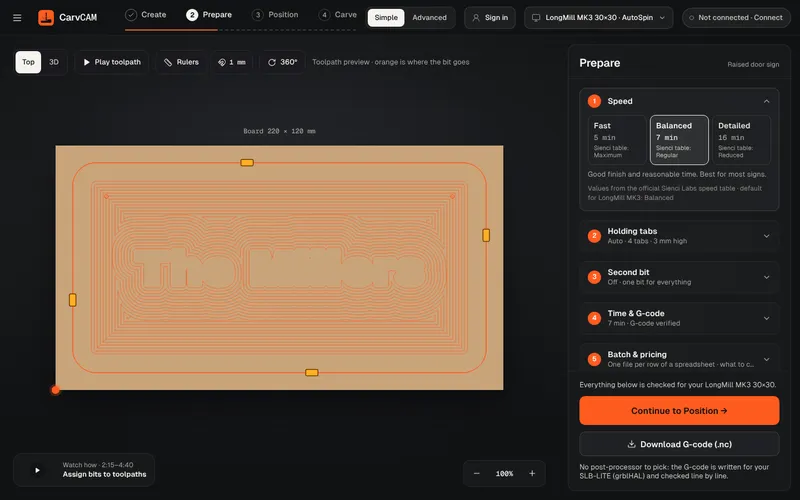
No post-processor
“What is a post processor?” is one of the most asked questions on the Sienci forum. In CarvCAM you never need to know: there is nothing to pick, and the file is checked before it reaches the machine.
Learn more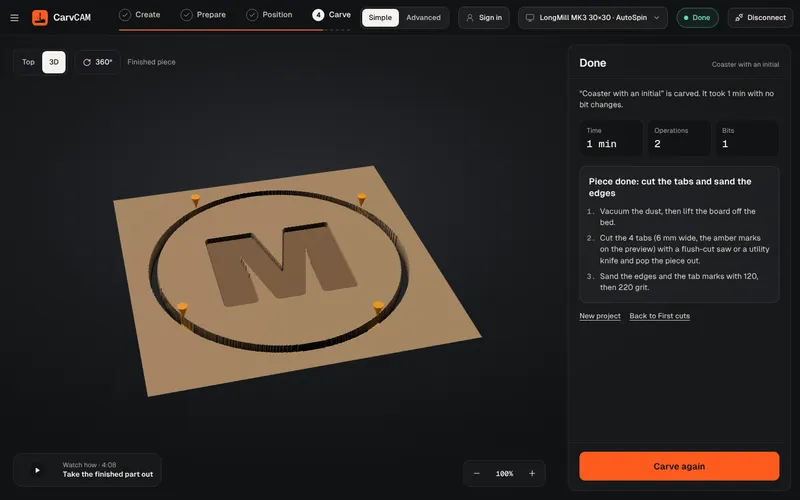
V-carving
V-carving is what makes a sign look professionally cut: deep where the letter is wide, sharp in the corners. CarvCAM does it from the same text you typed.
Learn more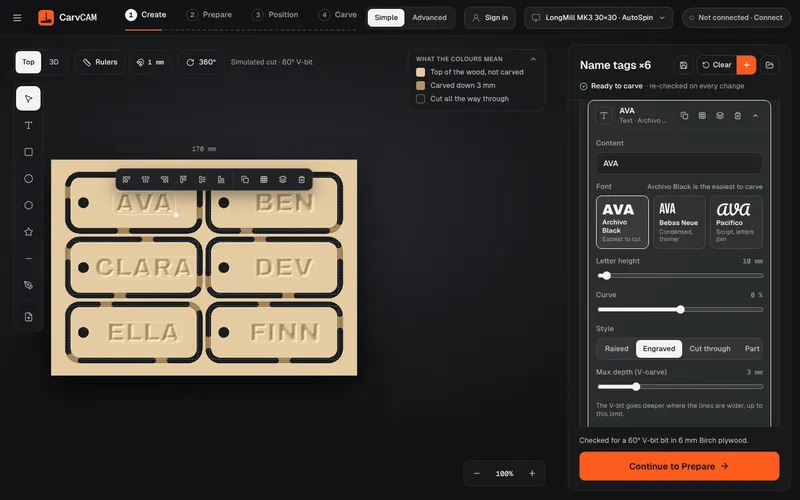
Sign design
Design where you carve. The preview shows the wood already cut, so what you see is what comes off the machine.
Learn more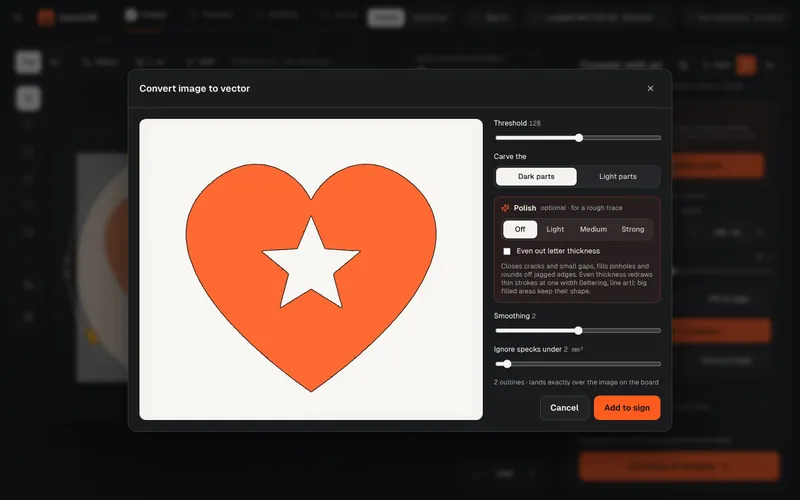
Image to vector
Got a logo as a JPG? Trace it into clean outlines right on the board, with a live preview, and carve it like any other shape.
Learn moreFeeds and speeds
No feeds-and-speeds spreadsheet. Choose how fast you want the job, and CarvCAM fills in every number for your exact machine, router and bit.
Learn more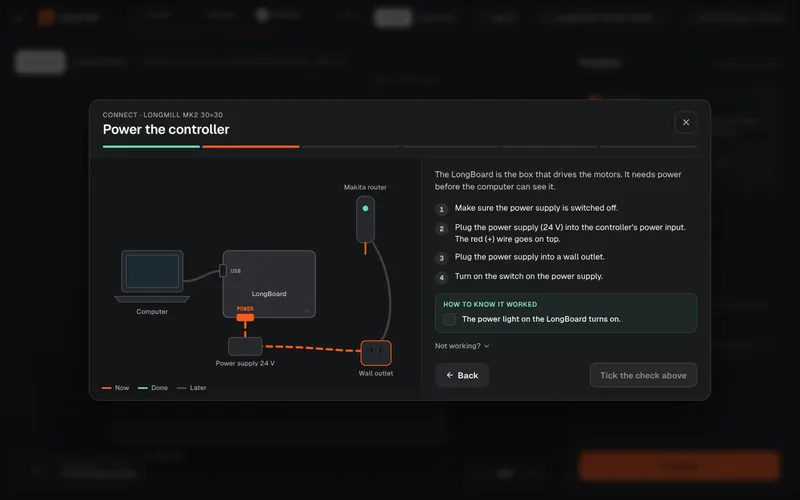
Connect wizard
Most first-day problems are cables. CarvCAM shows where each one goes for your machine, then proves the connection works before you touch a board.
Learn more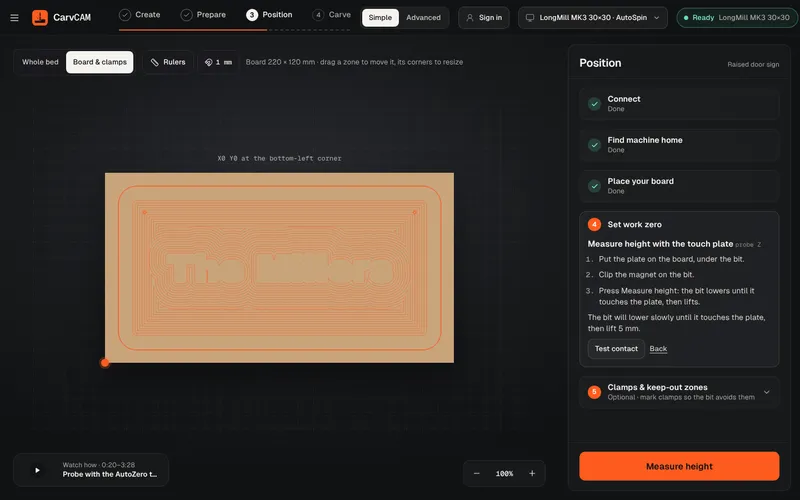
Homing and work zero
Positioning is where first carves go wrong. CarvCAM walks you through it on a live top view of your bed.
Learn more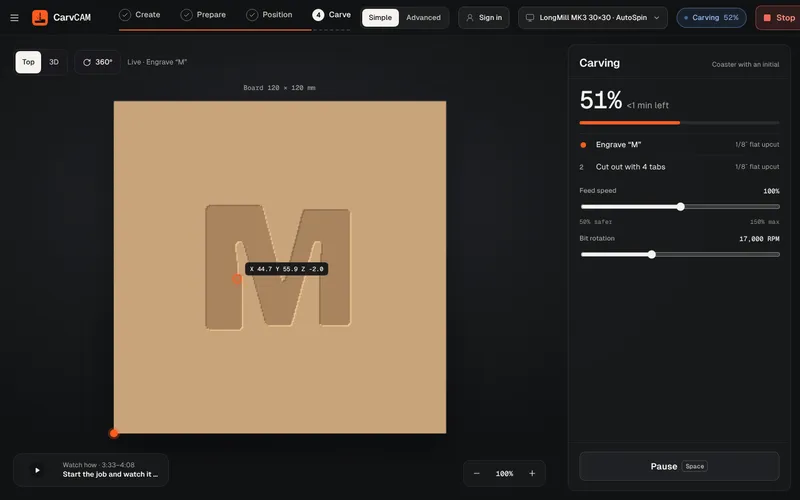
Simulation
Watch the bit cut the board on screen first. CarvCAM checks the job fits your machine and your board before it unlocks the carve.
Learn more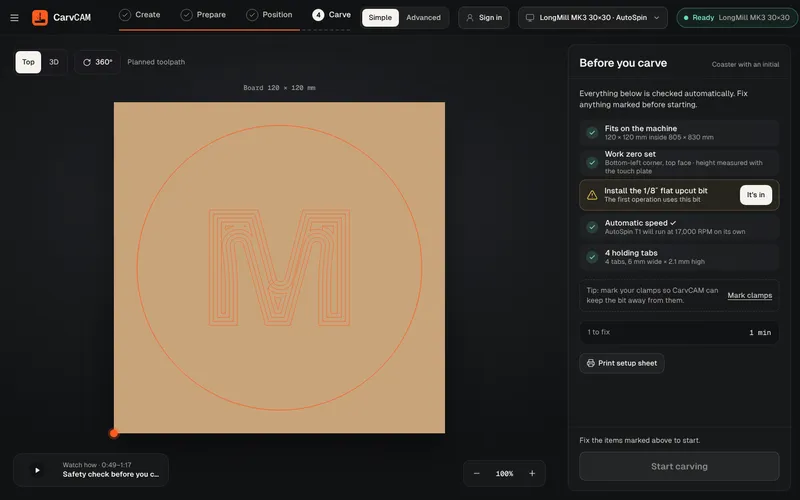
Carve control
No exporting, no second program. Press Start in the app you designed in, and stay in control until the last pass.
Learn more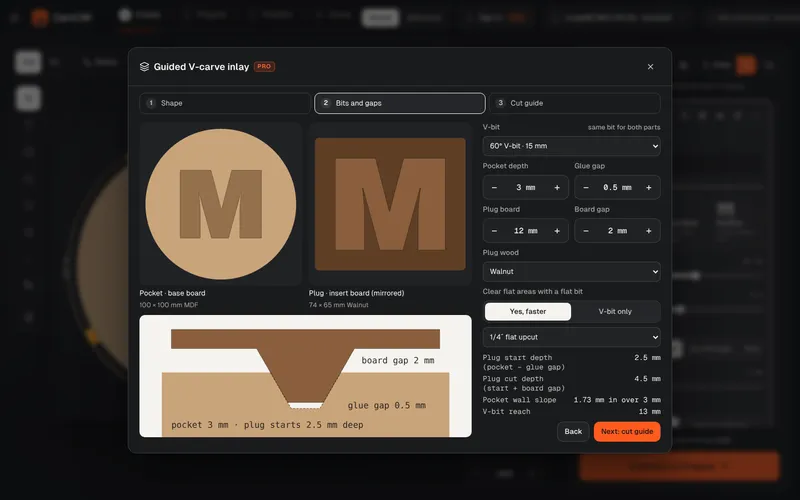
V-carve inlays
Inlays look like magic and fail on the math: start depth, glue gap, the gap between boards. CarvCAM's guided inlay does that math for your V-bit and gives you two jobs that fit on the first try.
Learn more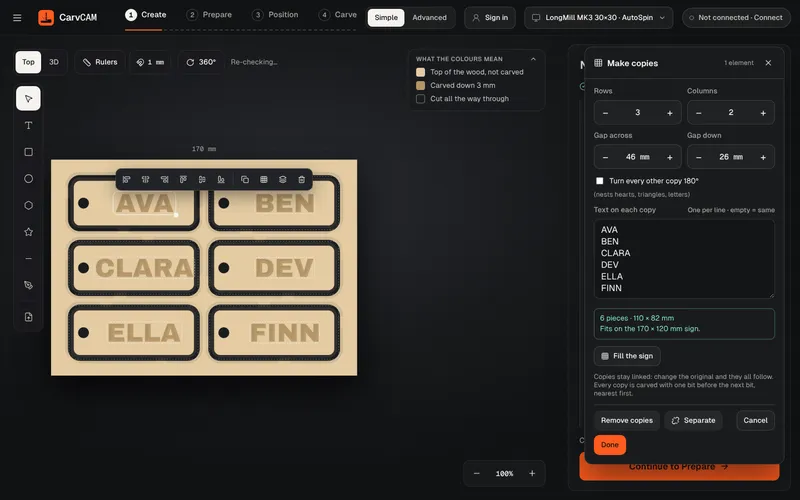
Copies and batch
Selling at a craft fair or making gifts for a class? Design one piece, then let CarvCAM repeat it: copies in a grid on one board, a different name on each, or one file per row of a spreadsheet.
Learn more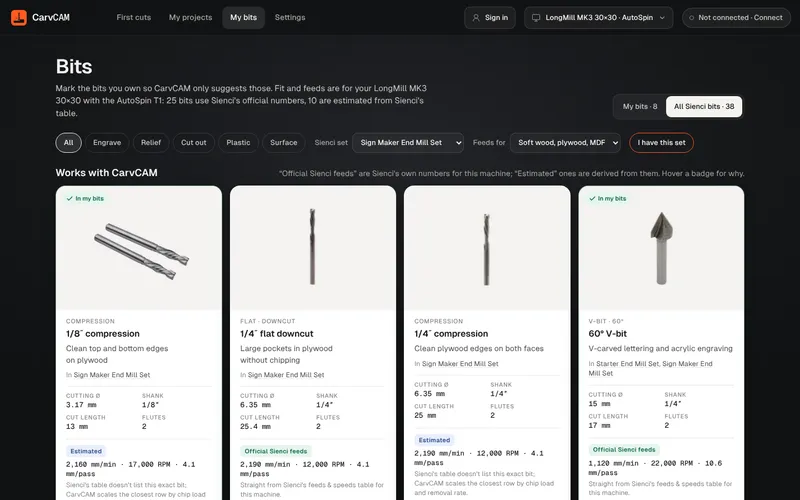
Sienci bit library
No tool database to type in. CarvCAM ships with the Sienci Labs bit catalog: tick the sets you own and every job uses those bits with the right numbers.
Learn more
Runs on Mac
Most sign CAM for hobby CNCs is Windows only. CarvCAM runs natively on Apple Silicon and Intel Macs, and it connects to your LongMill or AltMill straight from macOS.
Learn moreFrom blank board to finished sign.
One app for your LongMill or AltMill.