Batch from CSV and cost & price
Both live in Prepare › Batch & pricing and are part of Pro. They're for people who sell what they carve.
Batch from CSV
One sign per row of a spreadsheet: name tags, numbered plaques, a set of place cards. Each row becomes its own .nc file.
Add a placeholder
In Create, type a placeholder in double braces in any text, for example
Welcome {{name}}.Open Batch from CSV
In Prepare › Batch & pricing, click Batch from CSV. The placeholders in your design are listed.
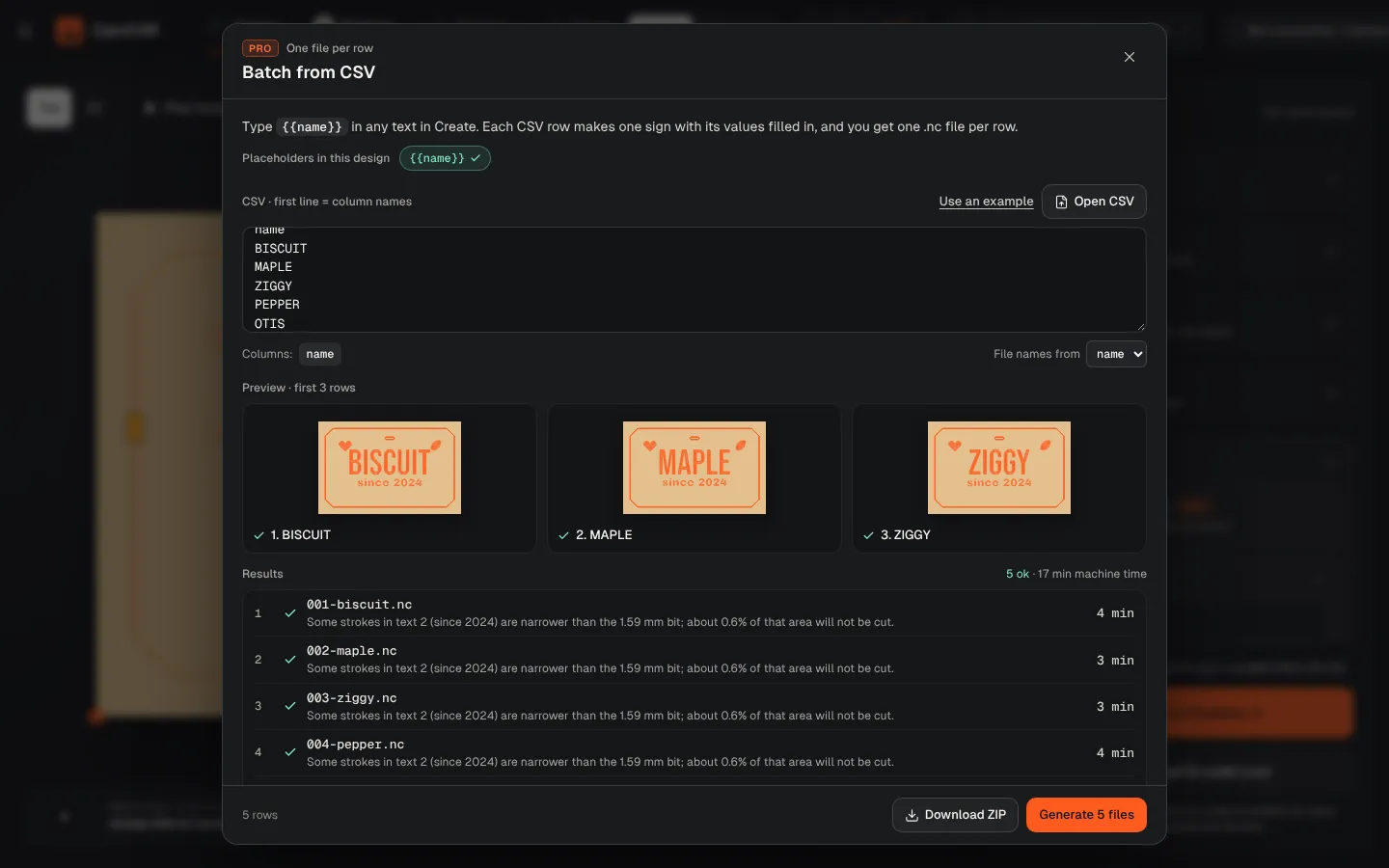
Paste or open your list
Paste CSV text (the first line is the column names, like
name) or click Open CSV. A column ticks green when it matches a placeholder. Pick the column for file names in File names from.Generate
Click Generate. Each row is made and checked like any job, with a thumbnail. A row that doesn't fit shows why and can be fixed.
Download
Download ZIP gives you one .nc file per row, plus the cost for the whole batch.
To cut many small pieces in one job, use Make copies with Text on each copy.
Cost and price
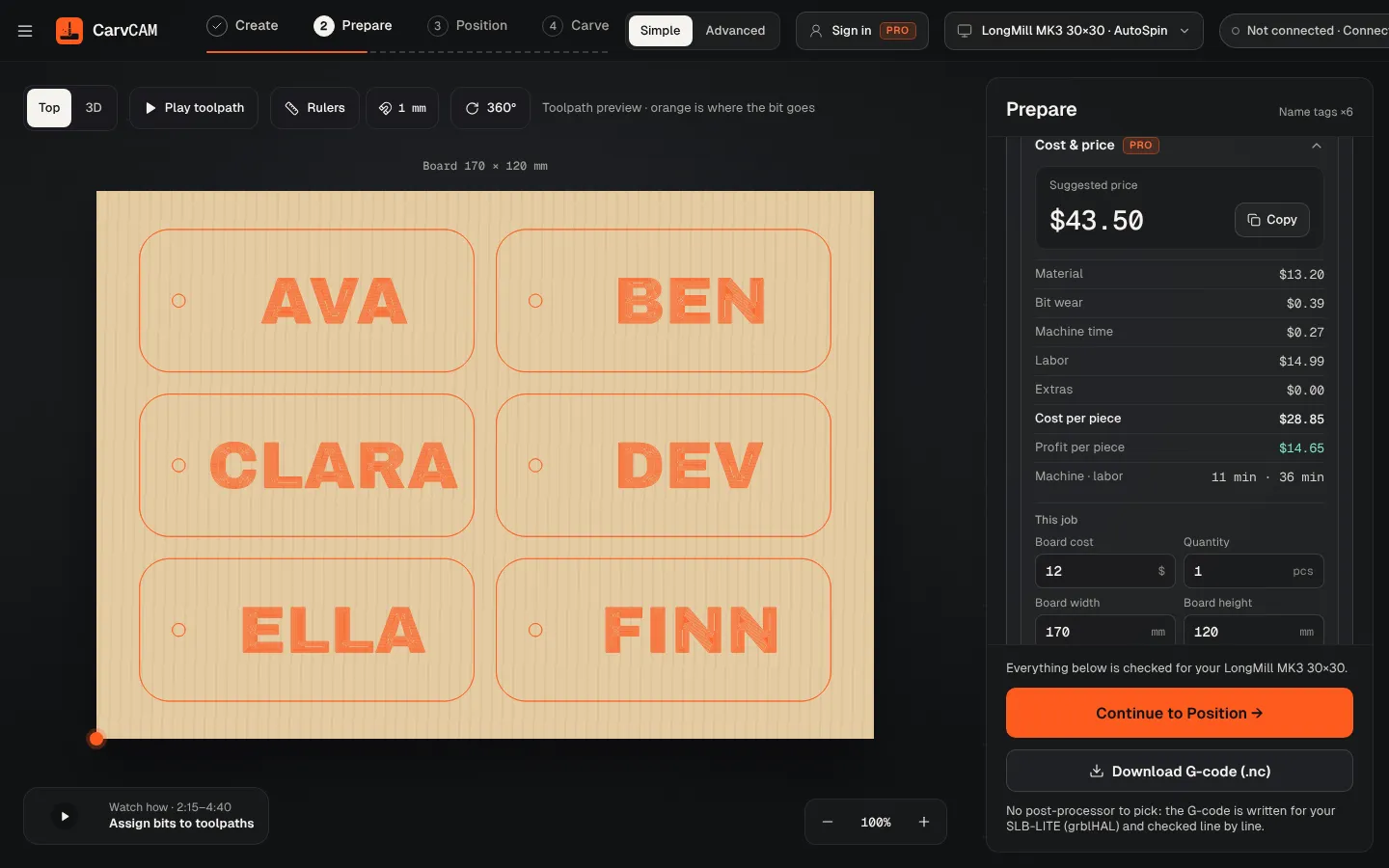
Open Cost & price in Prepare › Batch & pricing. It uses this job's time and bits.
| You enter | Examples |
|---|---|
| This job | Board cost and size, quantity, waste, finishing and extras per piece |
| Shop rates (saved for every job) | Labor and machine rate per hour, margin, setup time, platform fee (None, Etsy 9.5% or Custom) |
| Bits | Price and life of each bit used, for wear |
You get the Suggested price per piece, with Copy, and the breakdown: material, bit wear, machine time, labor and extras, then cost and profit per piece. The board size defaults to the sign's stock; enter the sheet you buy to charge only the share you use.