
Import SVG, DXF, PDF or Illustrator files and trace images
Bring your own artwork in three ways: import a drawing, trace over a photo, or let CarvCAM convert an image to vectors. Importing and tracing are Pro tools (every new account gets 7 days of Pro).
Import a drawing
Click Import SVG file on the left, open Upload design in the panel and choose a file, or drop it on the board. Drawings come in at their real size and can be styled like any other item.
| Format | Comes in from | Notes |
|---|---|---|
| SVG | Illustrator, Inkscape, Affinity, Figma, Canva, icon sites | Symbols and clones (<use>), clipping masks and nested artboards are kept |
| DXF | Fusion, LightBurn, AutoCAD, Inkscape, QCAD | Blocks (with scale, rotation and arrays), filled hatches, arcs, splines and ellipses. Open lines are carved as 1 mm grooves |
| Any vector PDF (print or save as PDF) | The first page; transforms, fills, strokes and clipping are kept | |
| Illustrator (.ai) | Illustrator, saved with Create PDF Compatible File (the default) | Read like a PDF |
Live text can't be carved until it's converted to shapes: Type › Create Outlines in Illustrator, Path › Object to Path in Inkscape, Flatten in Figma. Pictures inside a file are left out; trace them below instead. CarvCAM tells you when it left something out.
Convert an image to vectors
Add the image
In Upload design, add a photo, scan or logo as a tracing image. It sits under the board and is never carved.
Open Convert image to vector
Choose Carve the dark parts or light parts and move the threshold slider until the outline looks clean.
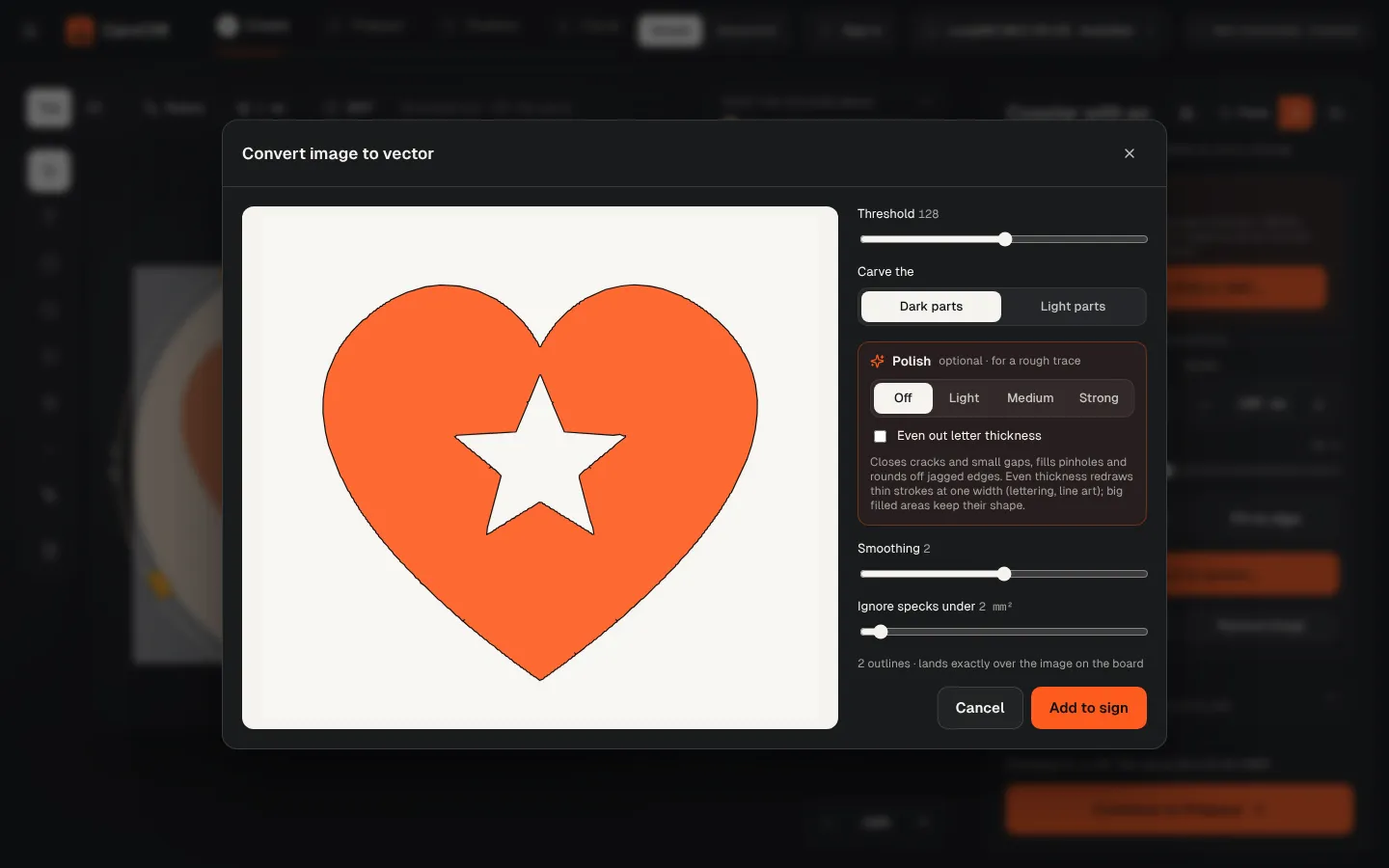
Polish a rough trace (optional)
Polish (Light, Medium or Strong) closes cracks and small gaps, fills pinholes and rounds off jagged edges. Even out letter thickness redraws thin strokes at one width, for lettering and line art.
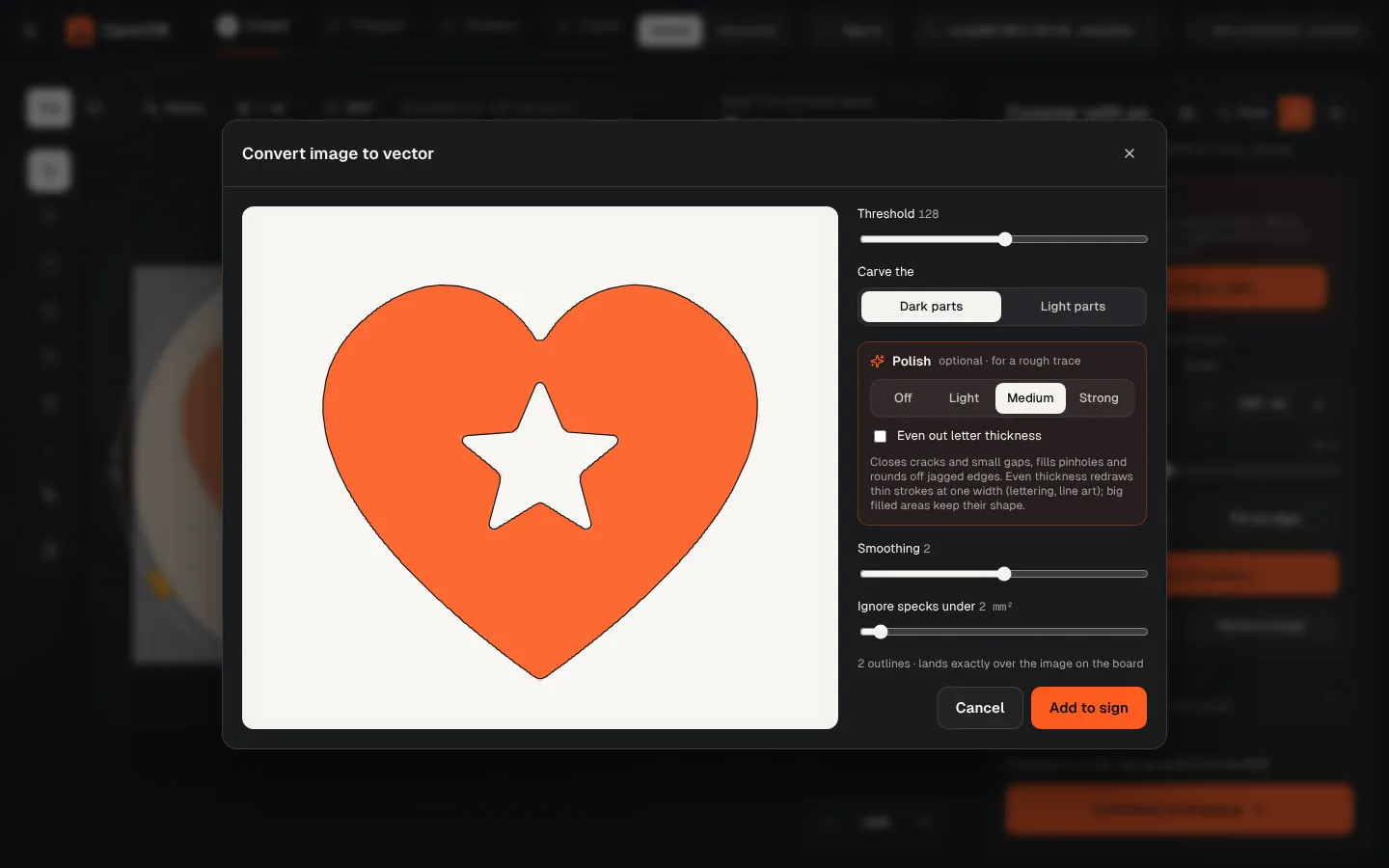
Convert
The drawing lands exactly on top of the image. Set the image to Hidden when you're done.
Trace by hand
With the tracing image visible, use the curve (pen) tool to draw over it point by point. Lower the image's Opacity to see your lines better.
High-contrast images work best: a dark logo on a white background, or a clear silhouette.