
Home, clamp and set zero
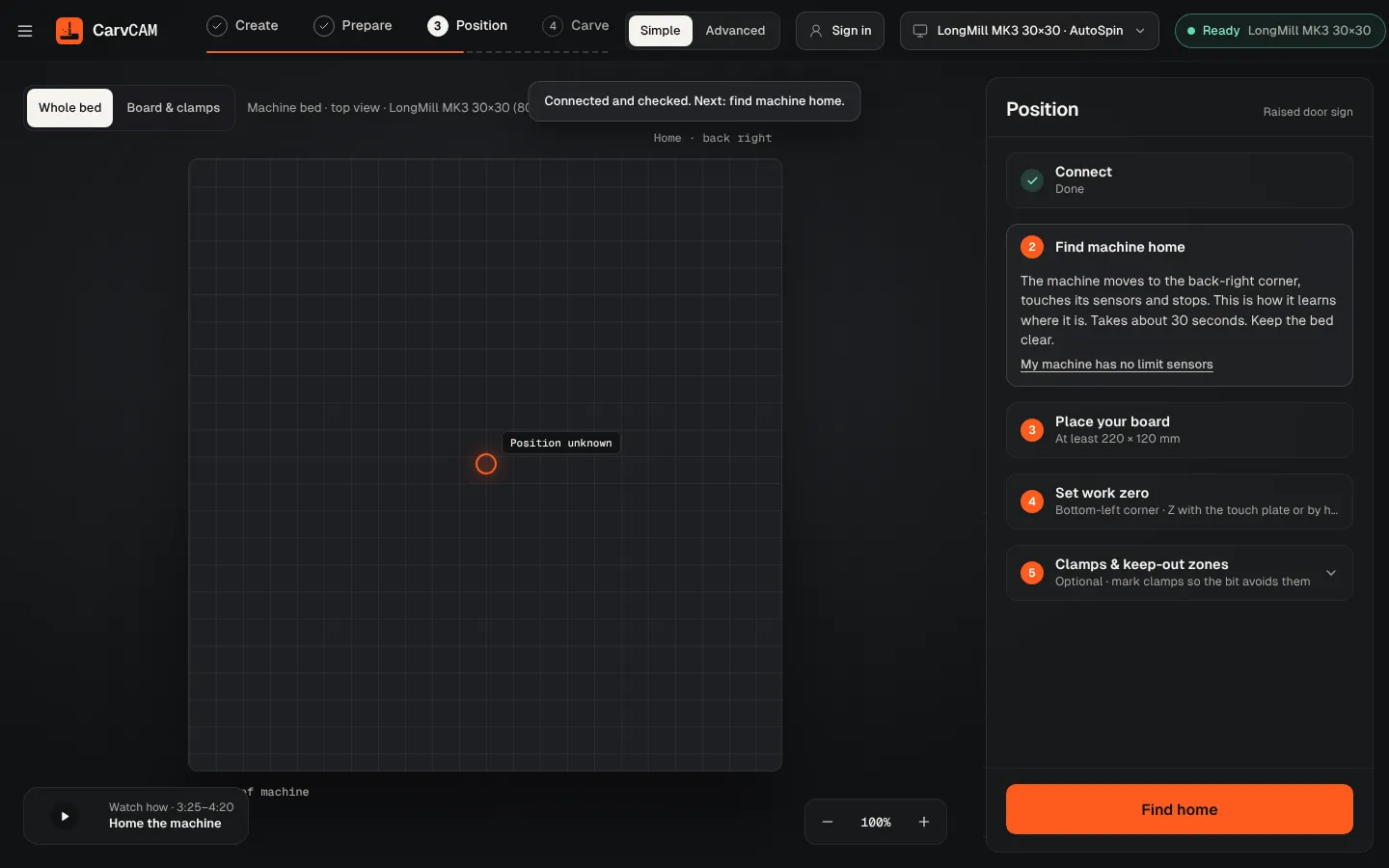
Position takes the machine from "I don't know where I am" to "I know exactly where your board is". The bed is on the left, seen from above; the steps are on the right.
Find home
Click Find home. The machine moves to the back-right corner, touches its sensors and stops. It takes about 30 seconds; keep the bed clear.
Clamp the board
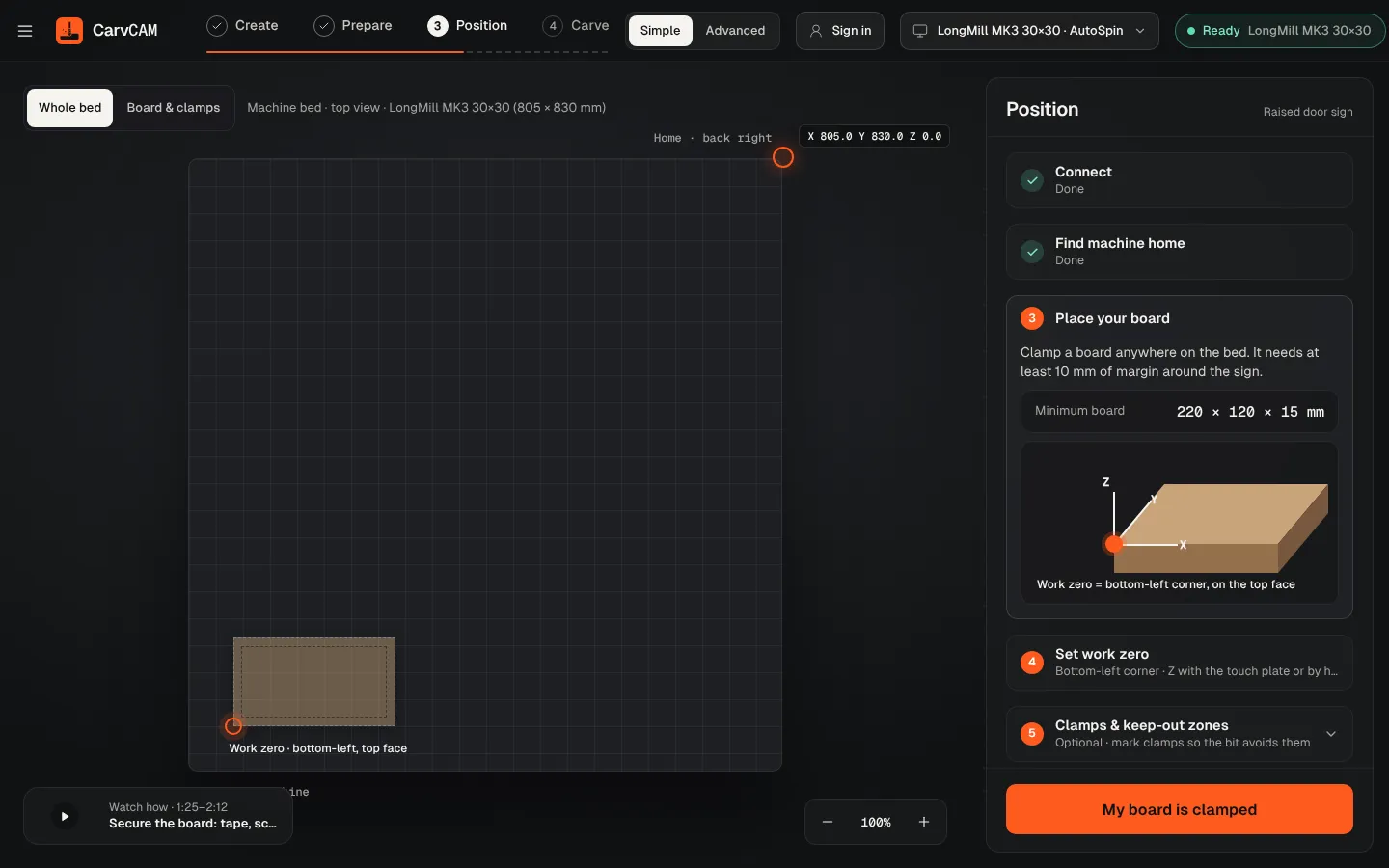
The screen shows the minimum board size. Clamp it anywhere on the bed, with at least 10 mm of margin around the sign, and click My board is clamped. Optionally mark the clamps as keep-out zones.
Measure the bit
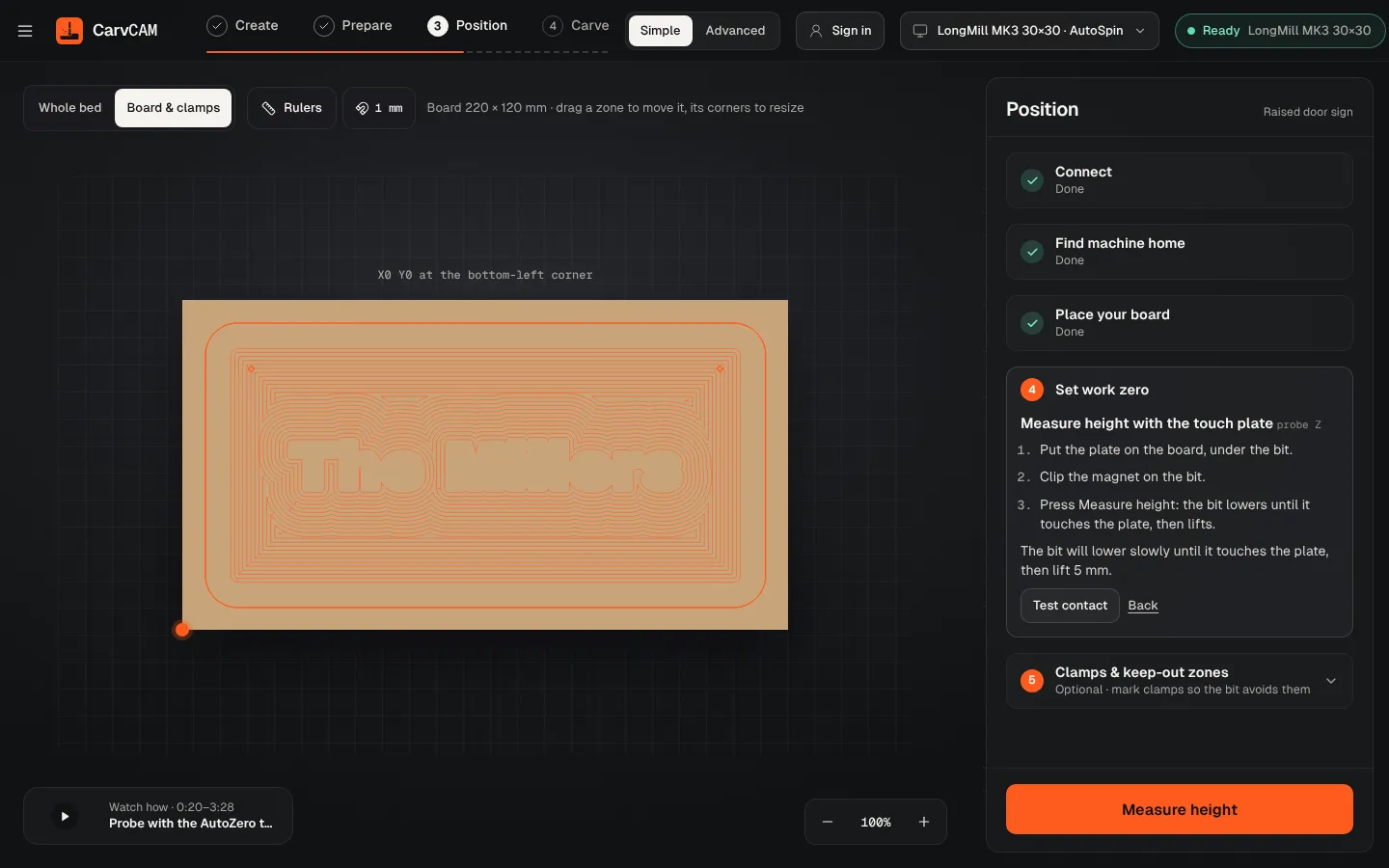
With the touch plate (recommended): put the plate on the board under the bit, clip the magnet on the bit and press Measure height. The bit lowers until it touches, measures, and lifts 5 mm.
Set zero
Click the bottom-left corner of the board on the screen to move there, fine-tune with the arrows (PageUp and PageDown for Z), then Set zero here.
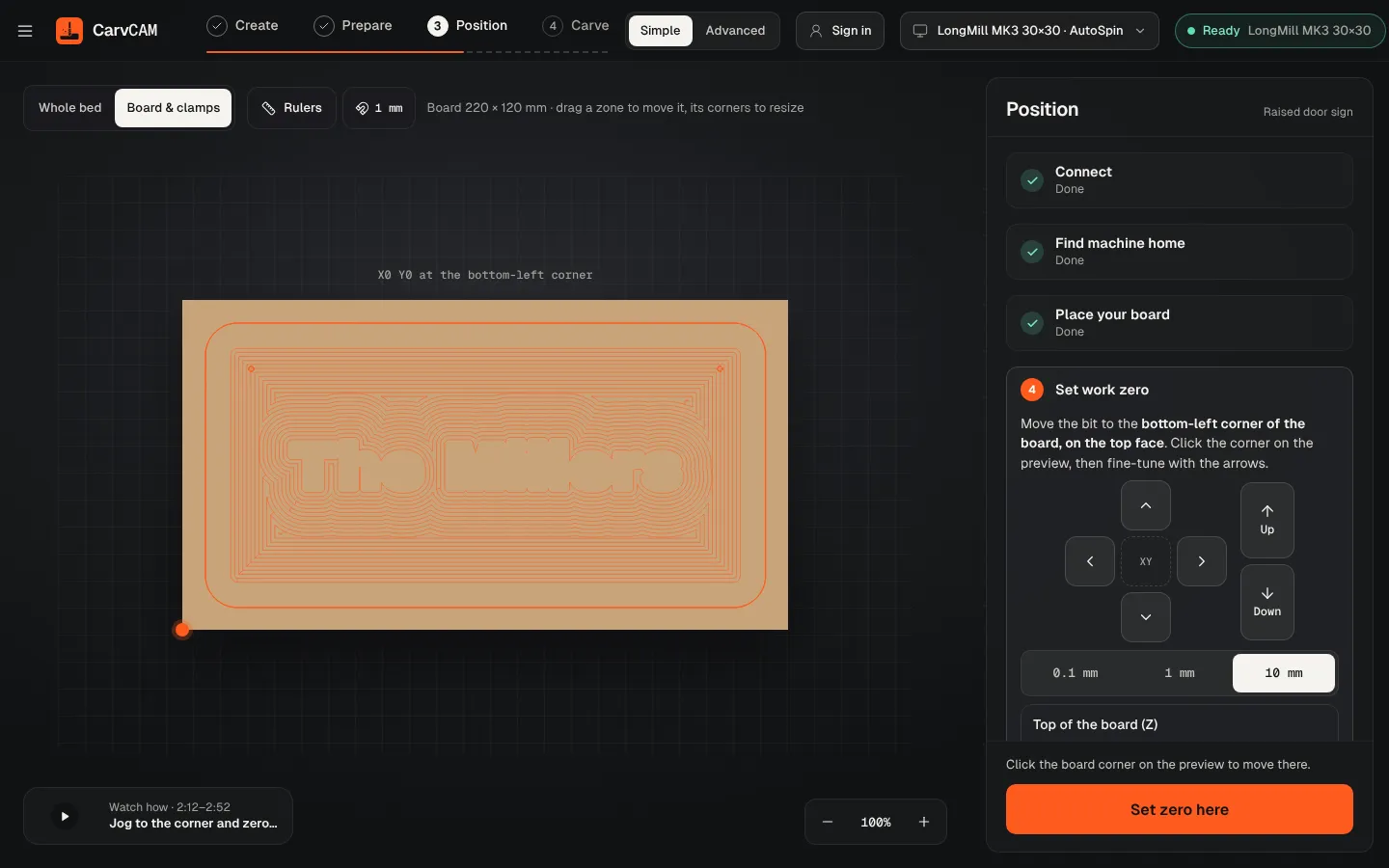
On the bottom-left corner of the board, on its top face. The design is carved from there.
Choose Set Z by hand (paper method): put a sheet of paper on the board, lower the bit in 1 mm, then 0.1 mm, then 0.01 mm steps until it just pinches the paper, and click Set Z zero here.
Click My machine has no limit sensors: jog to the back-right corner by hand and set it as home.